More word usage tips
Here are some more tips on word usage — and correct forms of popular idioms — to strengthen your writing.
The content you are trying to access is only available to members.
Here are some more tips on word usage — and correct forms of popular idioms — to strengthen your writing.
The content you are trying to access is only available to members.
I strongly endorse the WordPress SEO plug-in by Yoast to bolster your SEO efforts. To that end, I have some thoughts on using it effectively. In short, I think most webcartoonists are using this plug-in (and others like it) wrong.
First of all, for a thorough, comprehensive tutorial to WordPress SEO, you should definitely peruse Yoast’s own tutorial. They live and breathe this stuff, and their tutorials give tons of insight into how SEO, in general, works.
Here’s my personal approach to using this tool.
For the record, I’m using Comic Easel — but ComicsPress works exactly the same.
First of all, since SEO works best with words — and not images — I try to include a transcript of my comic in the blog area of the Comic post. Like so:
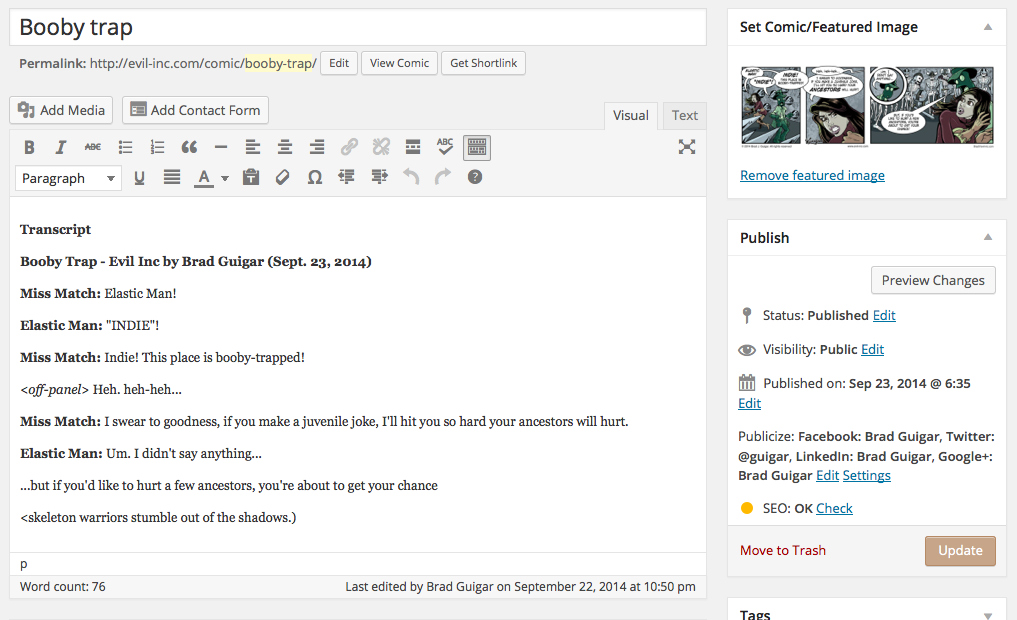
I realize that Comic Easel has a field especially for the transcript — and for all I know it may be the better choice. But I can’t figure that field out for the life of me. And putting the text in the blog post suits my needs exactly.
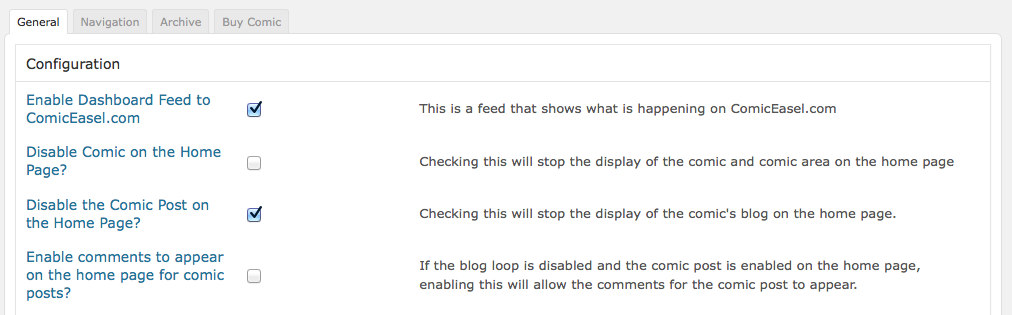
Of course, I have the comic-post blog disabled on my home page in Comics -> Config because I really don’t want this content on my home page. It’s not particularly useful, and it pushed more important content (like actual blog posts) further down the page where they may be missed.
It should be noted that Yoast’s plug-in applies itself to every post type — pages, posts, podcasts, and even comics. So, in the same way that you should prepare an SEO profile for a blog post, you should prep one for every comic you upload. Here’s what it looks like.
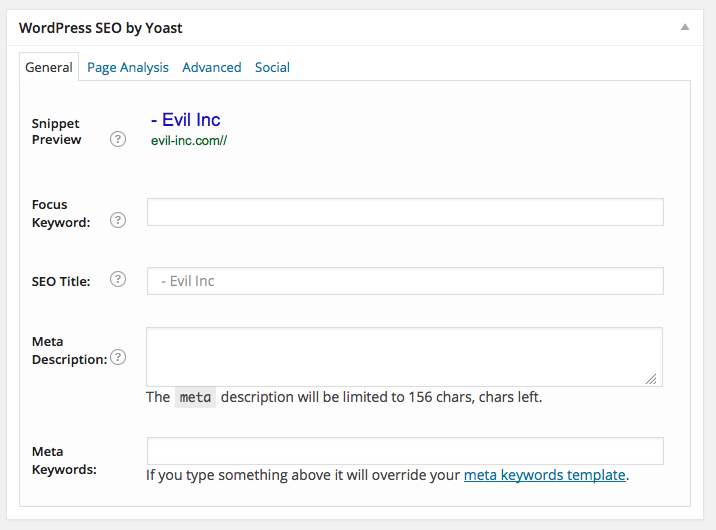
Filling out the form is pretty straightforward is you keep in mind one thing: Everything hinges on the keyword (or words).
So your SEO is going to improve the more consistently that keyword shows up in certain places on your site. And that’s what Yoast does. It reminds you to put the keyword in your title, in the meta description, in the page URL, in the blog itself, and so on.
Here’s the form filled out for the example from above.
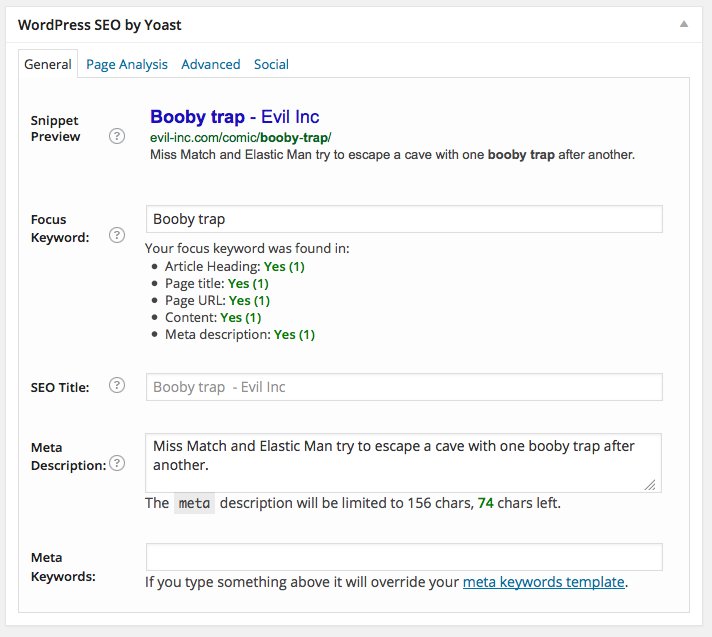
As you’ll note from the above graphic, I’ll get a green-text approval for each one of these categories I satisfy.
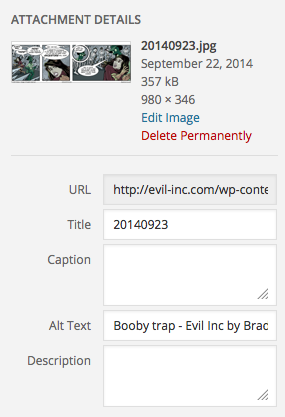
Heck, I even put my keyword in the Alt text for the comic’s image file.
It’s all in the comic title. Being the creative types we are, we feel the need to come up with a clever title. But this is the last place to be clever! In fact, I’ll argue that this is the place to be as un-creative as possible — or maybe, just creative in a different way.
Because that title has to feature a keyword. And that keyword is the word that you expect people to punch into a search-engine field and (hopefully) find your comic.
And if your keyword (and, therefore, title) features a cute play on words, the chances diminish that someone would use that phrase in a search.
Let me give you an example.
I’m uploading this comic…
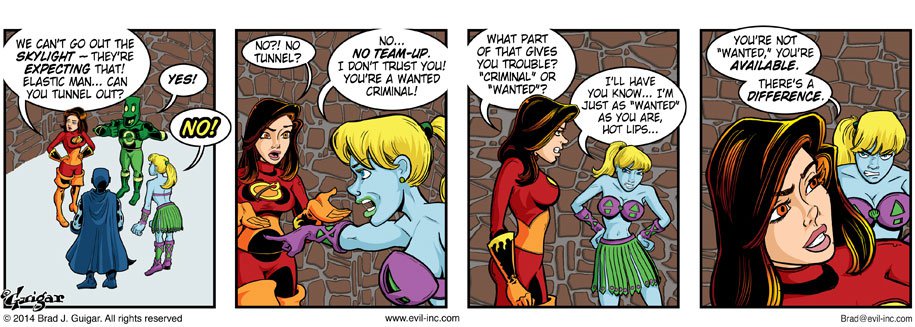
Now, I have my choice of several keywords. I chose “Most Wanted.”
Why?
Because (A) it applies to the comic, and (B) it’s a phrase that I assume would be used in several search-engine searches.
One of my readers noticed this. (They can see the title and the transcript in that day’s comic’s arhive page.)
I love this, but the fact that this update wasn’t titled “Burn” or something along those lines disappoints me a little. And I mean that in the nicest way if that’s possible.
It’s understandable. They’re certainly not thinking SEO as they’re enjoying the Web site.
And, to be fair, “burn” would have been an acceptable title, too.
What wouldn’t have been acceptable would have been a play on words such as “America’s Least Wanted” or “Burnabout is fair play.”
Those are much more clever headlines, but there’s a much more slim chance that people will put them into a search-engine search. And SEO hinges on exactly that process.
So my headlines are always plane-jane keyword headlines that are chosen on the basis of words and phrases that I judge to be common search terms.
I’m not counting on their entertainment value. The words don’t appear on the main page (and they’re an afterthought on the archive pages). And my comic is plenty entertaining without cute titles. That’s not a job that I want them to do. The role those words play on my site is pure-and-simple SEO.

It’s impossible to separate webcomics from their roots in print. Longform comics spring from a long history of printed comic books and graphic novels, and online comic strips build on over a hundred years of newspaper strips. And, as much as this new delivery system has changed the business, creation — and even the very concept of what a comic is — it’s weird where we draw a line in the sand.
The content you are trying to access is only available to members.
There’s a unique expression in the English language in which the speaker asks a question and then, waiting a beat, offers and answer. Perhaps the most popular example is “What am I — chopped liver?” But some other examples include phrases like:
• What were you expecting — the Spanish Inquisition?
• What do you want — a medal?
• Who’s this — the Pope?
It’s a very familiar cadence to recognise when you hear it, and if it’s not punctuated correctly, you’ll fail to convey it efficiently.
The content you are trying to access is only available to members.
As we head into September, I caught myself thinking something I’ve thought this time of the year for about fifteen years now.
“Well, the kids will be back in school, and my Web traffic will rebound.”
But, then I wondered — how much of that statement was still true?
The content you are trying to access is only available to members.
If you pay estimated income taxes on a quarterly schedule, your third-quarter payment must be mailed today.
For more on the subject, go here.
There seems to be some misinformation going around about whether it’s legal to ship comics using the Media Mail service of the U.S. Postal Service.
Since misunderstanding this could cost you thousands, let’s get it straightened out now.
The content you are trying to access is only available to members.
You don’t need a subscription to read today’s post!
This is a re-post from the Webcomics.com archive. If you’ve ever been curious about the kind of information, tutorials and advice that you’ll get as part of your subscription to Webcomics.com, this is a good example.
If you’d like to join the site, you can get a 12-month subscription for $30 — or you can get a one-month Trial for $5 … with no obligation after your 30 days expire. For less than three bucks a month, you can get a steady flow of information, tutorials and advice targeted towards your webcomic business — plus a private forum to discuss issues with other professionally minded cartoonists.
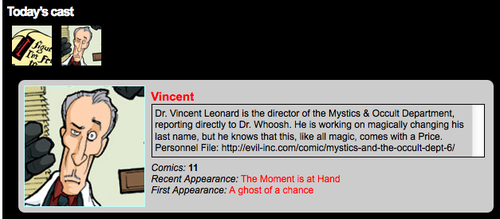
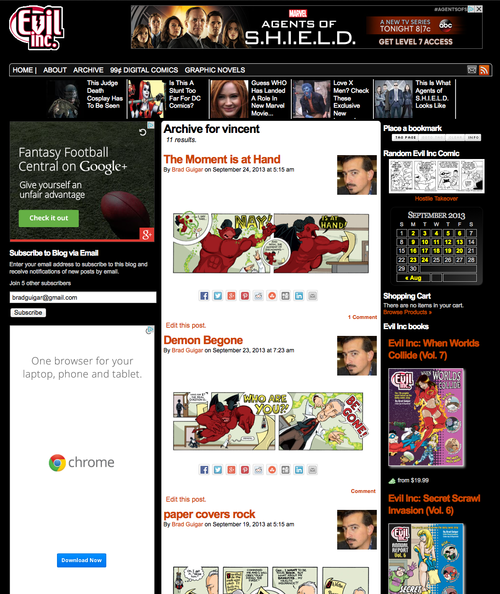
Since switching to Comic Easel, I’ve become a big fan of character tags. Using character tags, I can give readers more information about the characters that appear in a specific update. You can see it in action below.
When the user hovers the cursor over the headshot, they get a brief intro to the character.
And clicking the headshot takes the user to an archive thumbnail page containing all of the tagged appearances of that charater.
Here’s how to set it up in Comic Easel. I’m assuming that the updated version of ComicsPress has a similar functionality.
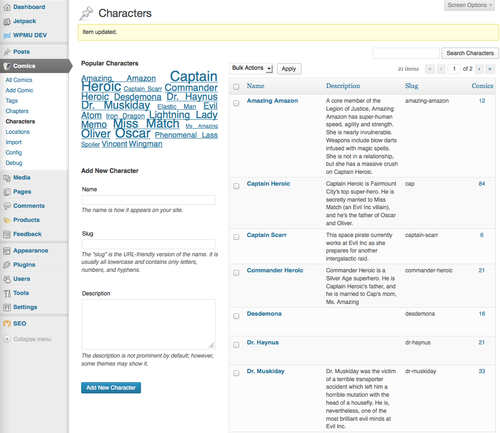
Under the Comics menu (on the left-hand side of your WordPress dashboard), click Comics and then Characters. Here, you can input as many characters as you’d like. Give each character a name, a slug and a short description.
The “slug” that you give the character will be the name of the image file that you upload to display when the character is tagged for a comic update. You don’t need to include the suffix (.jpg, .png, etc). But you do need to follow an all-lowercase / no spaces convention.
Next, create a headshot for each character. The default size is 150×150 pixels. Give each headshot file a name that coincides with the proper character-tag slug.
You will upload these to your site’s Web server, in the “images” folder.
Don’t panic. It’s easy.
In your WP dashboard, click on Appearance and then Editor.
Open your style.css file.
For each character you will add the following code
.character-slug {
background: url('http://evil-inc.com/images/slug.jpg') top center no-repeat;
}
Where I have the word “slug” bolded above, you will enter the slug you created for the character in the first step.
Now it’s a simple matter of noting which characters are present when you upload each new update. You’ll find the proper field near the bottom of the right-hand column of the “Add Comic” interface. Remember, you can click and drag that field to place it higher in the column.
When you’re finished, don’t forget to click Update.
Go to Appearance -> Widgets in your WP dashboard and drag Comic Easel Cast Hover to the appropriate sidebar.
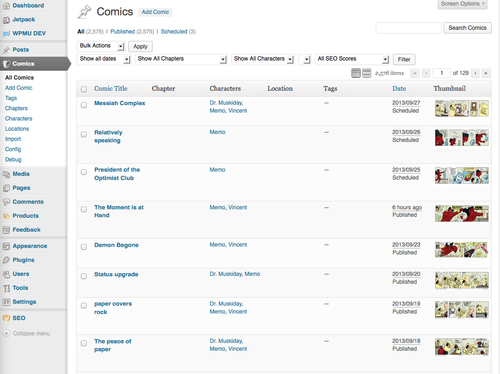
Updating your archive needn’t be overly stressful. Remember, when you’re looking at your archive in WordPress, there’s a Bulk Actions button. (It’s in the left-hand corner right under the title “Comics”.)
This is a good way to tag multiple updates at once.
Note that you can select an update that already has character tags listed and add additional names through a bulk action.
So, I’ve been making my way, page by page, through the Evil Inc archive by selecting all of the strips that feature a certain character and adding the names via bulk edit. I try to catch as many as possible through bulk edits. Then, I’ll add any necessary characters in individual entries via Quick Edit.
Depositing funds into my bank account always pisses me off.
See… when I go to the corner pizzeria to buy a slice, that money has left my bank account before I reach the crust. I can see it right on my online banking app. Boom. Money gone.
But if I want to access funds that are rightfully mine, I have to wait 3 to 5 business days.
Do they really expect that we don’t realize that it’s the exact same transaction?
The content you are trying to access is only available to members.
The most recent update of Comic Easel includes the ability to incorporate Jetpack’s mobile-device functionality. Here’s a quick start-up guide.
The content you are trying to access is only available to members.